

AI and models
Choose the model, set privacy and limits, and bring your own model.
Settings, AI and models controls how the assistant behaves for everyone in your company. Changes save as you make them.
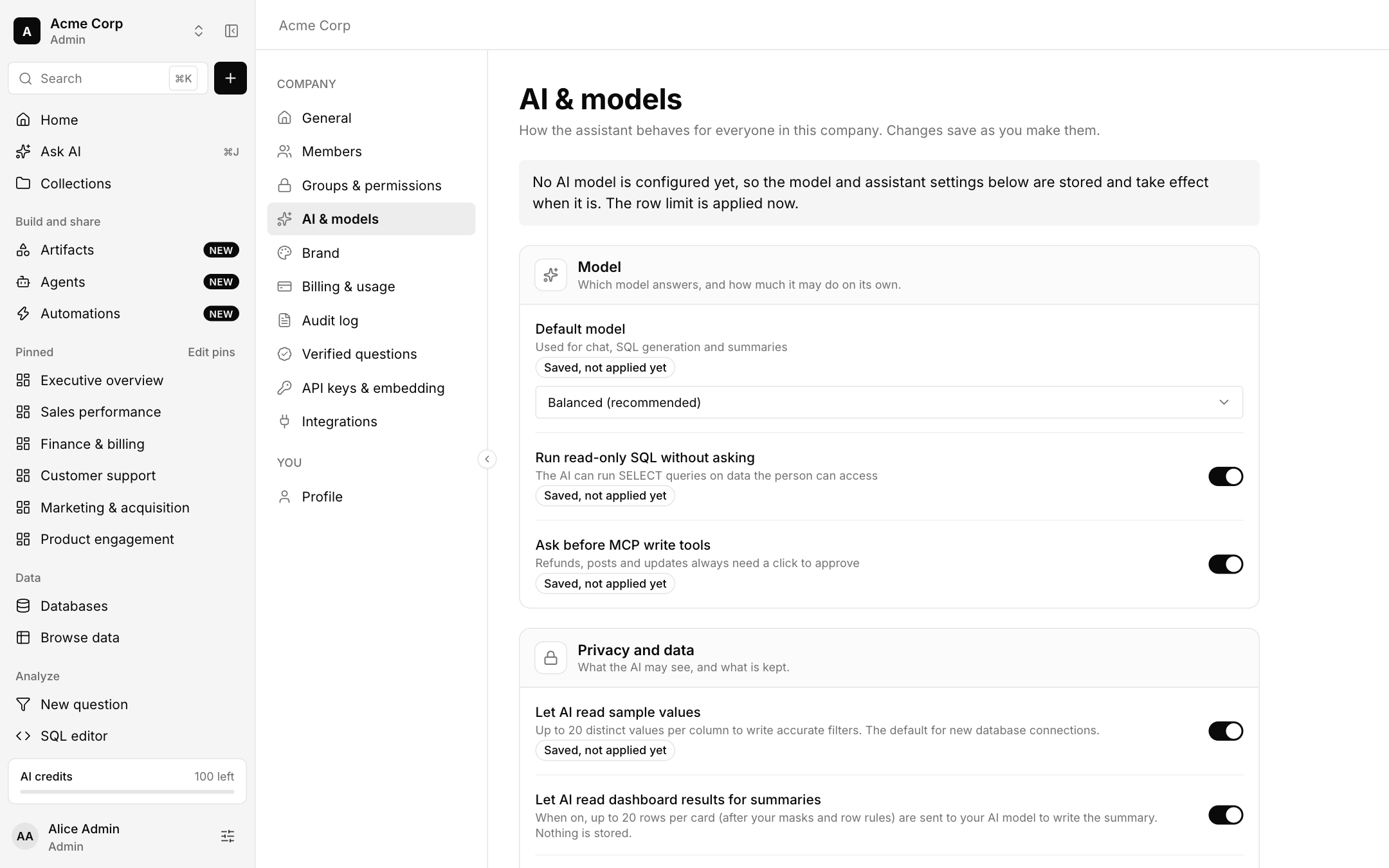
Model
- Default model: Balanced (recommended), Most capable or Fastest. It is used for chat, SQL generation and summaries.
- Run read-only SQL without asking lets the AI run SELECT queries on data the person can access.
- Ask before MCP write tools keeps refunds, posts and updates behind a click.
Privacy and data
- Let AI read sample values: up to 20 distinct values per column, to write accurate filters. It is the default for new database connections.
- Let AI read dashboard results for summaries: when on, up to 20 rows per card, after masks and row rules, are sent to your model to write the summary. Nothing is stored.
- Keep chat history for 30, 90, 180 or 365 days. Members can delete their own chats any time.
- Train on our data: Never. Bhoral never trains models on your chats, queries or results, and this cannot be turned on.
Limits
- Row limit for queries: the most rows any query returns, up to 5,000.
- Monthly AI credit budget: AI stops for everyone once this many credits are used in a month. It can only be lower than your plan's allowance.
Your own AI model
Connect a model you pay for: Anthropic, Azure OpenAI, AWS Bedrock, Google Vertex AI or an OpenAI-compatible endpoint. Questions and database table and column names are sent to its provider, so check where your provider processes them. Keys are stored in the vault and never shown again.