

Plans and billing
The 14-day free trial, Basic and Pro, AI credits and how to pay.
Plans belong to a company. Pricing is per company, not per seat.
| Plan | Price | Databases and tools |
|---|---|---|
| Free trial | Free for 14 days | Up to 3 |
| Basic | $19 a month | Up to 5 |
| Pro | $50 a month | No limit |
| Enterprise | Custom | No limit |
Databases and tools means connected databases (uploaded files included) and connected MCP servers, counted together. See the current prices on the pricing page.
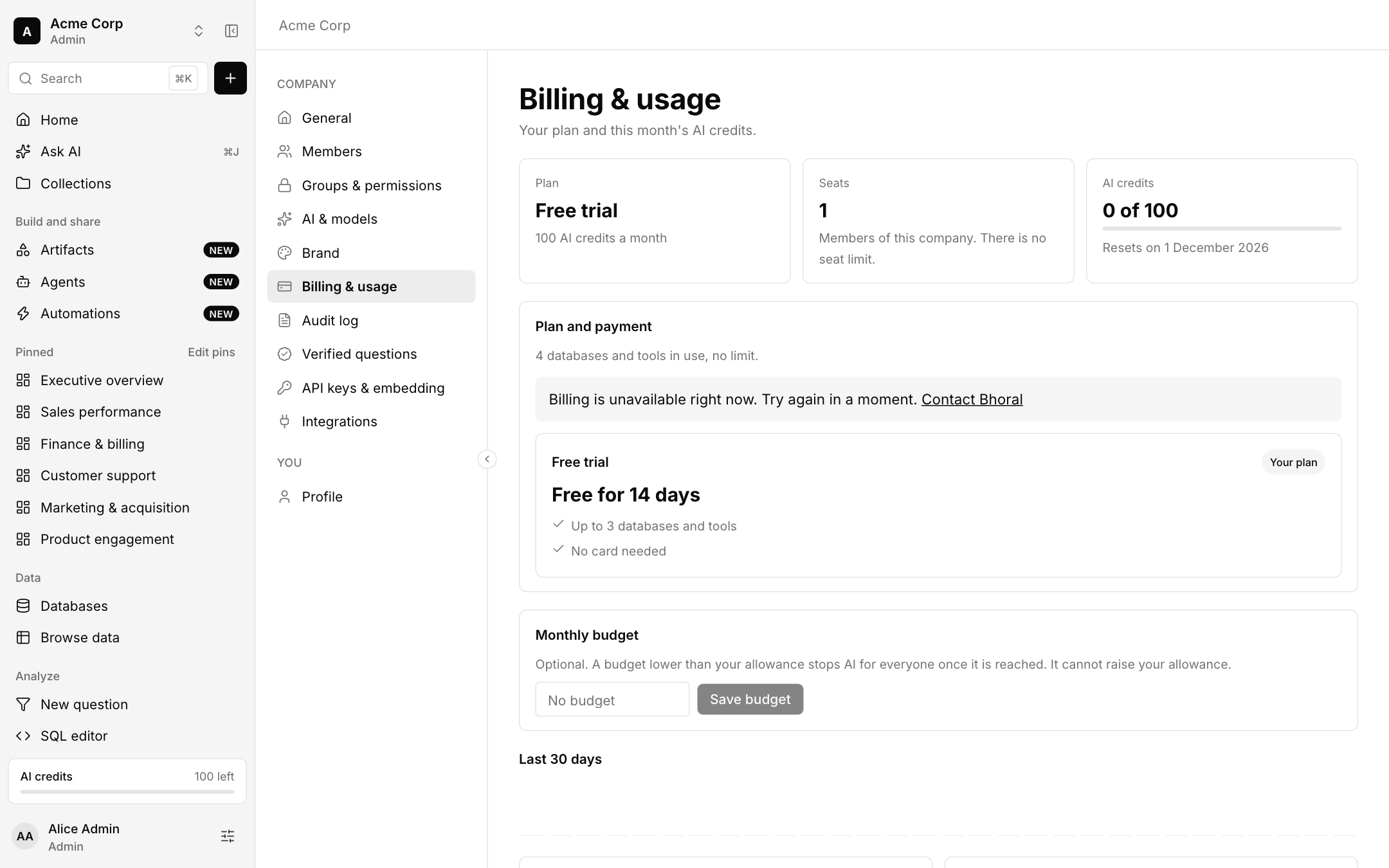
The free trial
The trial runs 14 days from the day the company is created and needs no card. When it ends, the company becomes read-only: you can still open everything, look at it and export your data, but anything that creates or changes something is refused until you choose a plan.
Paying
Company admins pay in Settings, Billing and usage. Choosing Basic or Pro opens Stripe Checkout, and Manage billing opens Stripe's own portal to change card, view invoices, switch between Basic and Pro or cancel. Bhoral never sees your card.
AI credits
Each plan includes a monthly allowance of AI credits that resets each month. Admins can also set an optional monthly budget that is lower than the allowance: AI stops for everyone once it is reached.
If your plan ends, the company returns to the free plan with its trial already over, so stopping and starting never earns a fresh 14 days.