

Reports and datasites
Turn answers into PDF, deck or Excel reports, and into live datasites.
Artifacts
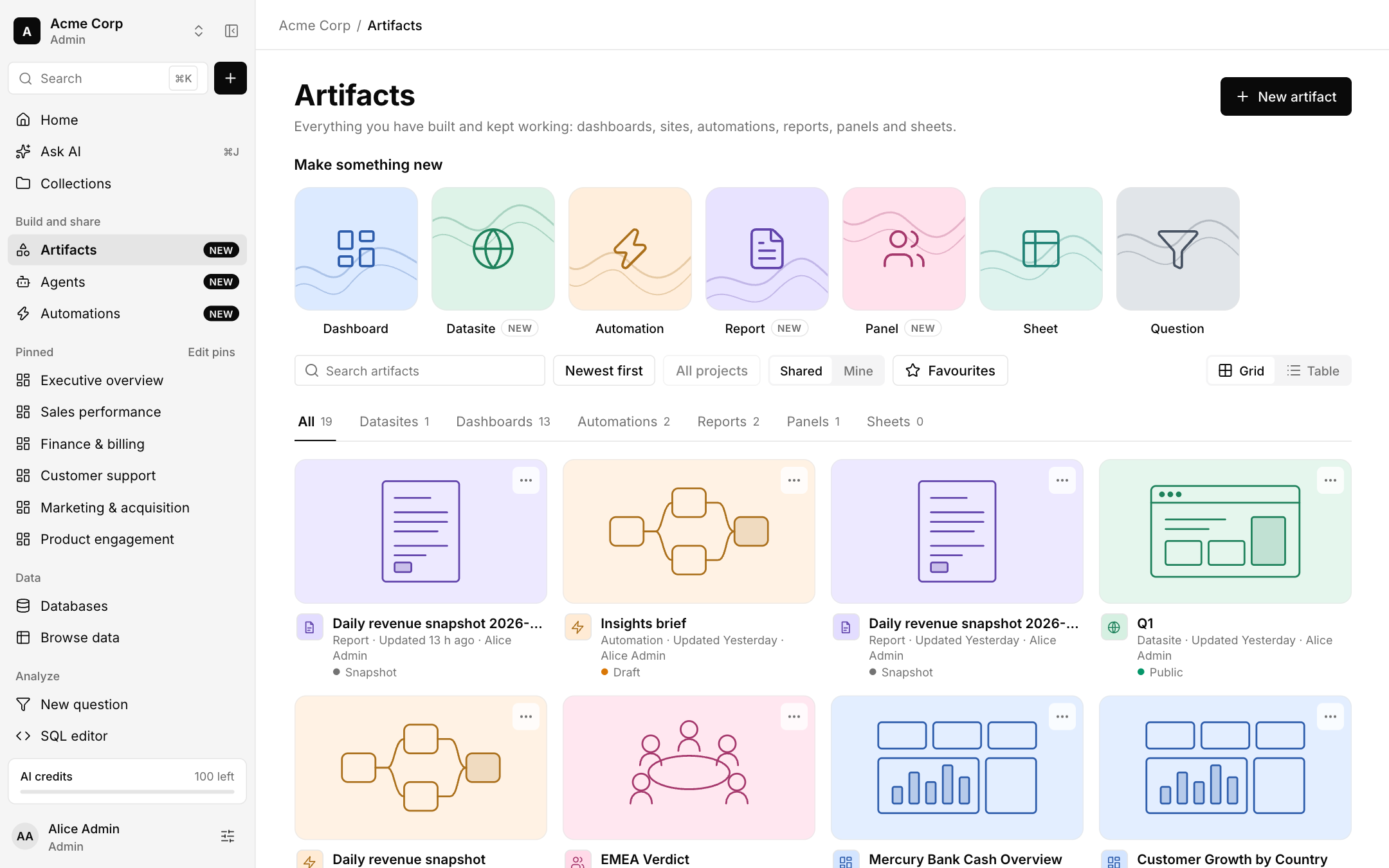
Artifacts collects everything you have built and kept working: dashboards, datasites, automations, reports, panels and sheets. Use New artifact to start one, and filter by project, shared, mine or favourites.
Reports
A report is a snapshot of your data as a PDF, a deck or an Excel file. You review the plan first: nothing is built until you press the button. To start one, open a question, a dashboard or an answer and choose Make a report.
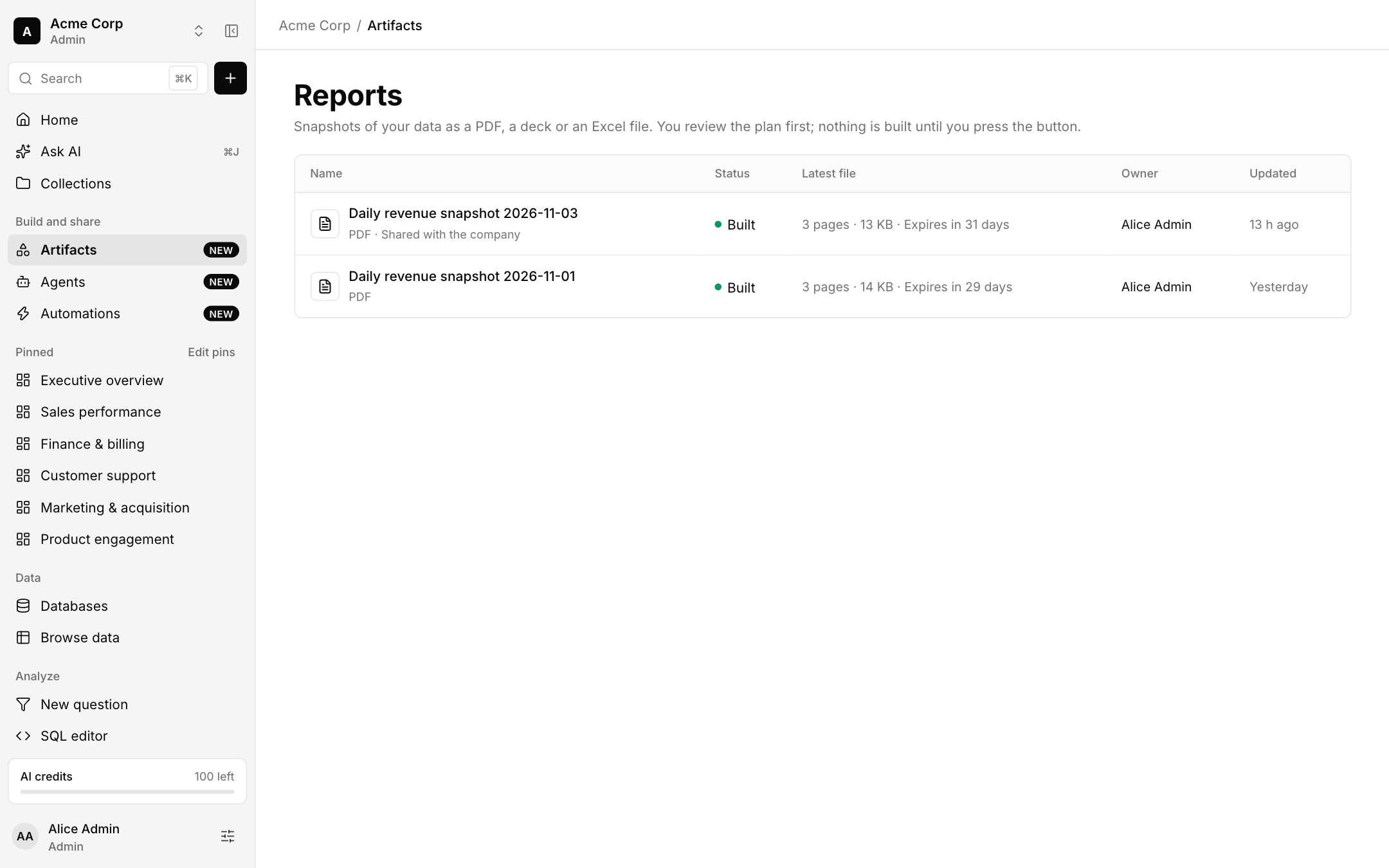
Built files expire after a set time and can be shared with the company.
Datasites
A datasite is a small multi-page site on your live data. An agent writes the pages from your data and styles them with your brand. It reads the data again every time a page opens. Share it inside Bhoral or with a public link.
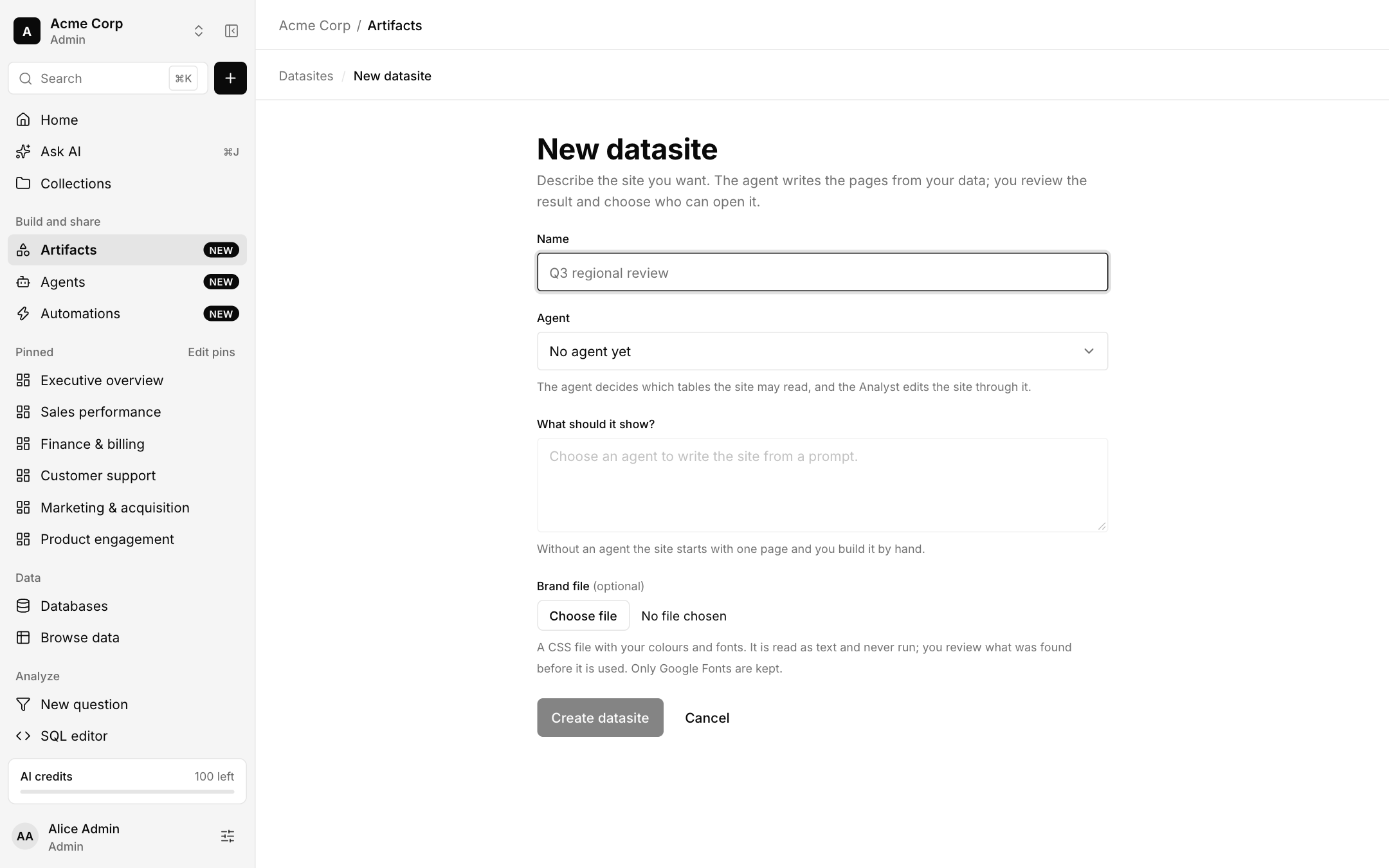
Choose New artifact, Datasite, give it a name and pick an agent. The agent decides which tables the site may read.
Describe what it should show. Without an agent, the site starts with one page and you build it by hand.
Review the result and choose who can open it.