

Sharing and delivery
Share inside the company, by link or embed, and deliver results by email, Slack and Teams.
Share a dashboard or question
Choose Share on a dashboard or question to set who can open it:
- In your company: people who already have access to the collection.
- Public link: anyone with the link. A public link runs its questions as saved, so row rules and masks are not applied.
- Signed embed: put a dashboard in your own product. Embeds use an expiring signed token, locked parameters and allow-listed frame ancestors, and you can revoke one or all of them.
Embeds run as a service identity
Masks and row rules do not apply to embeds. The product says so on screen when you create one.
Subscriptions
Choose Subscribe to get a dashboard or question by email on a schedule. Subscriptions, alerts and automations can also post to Slack or Microsoft Teams.
Slack and Teams
Set destinations in Settings, Integrations. Each destination is one channel and uses a webhook address, which is stored encrypted and never shown again.
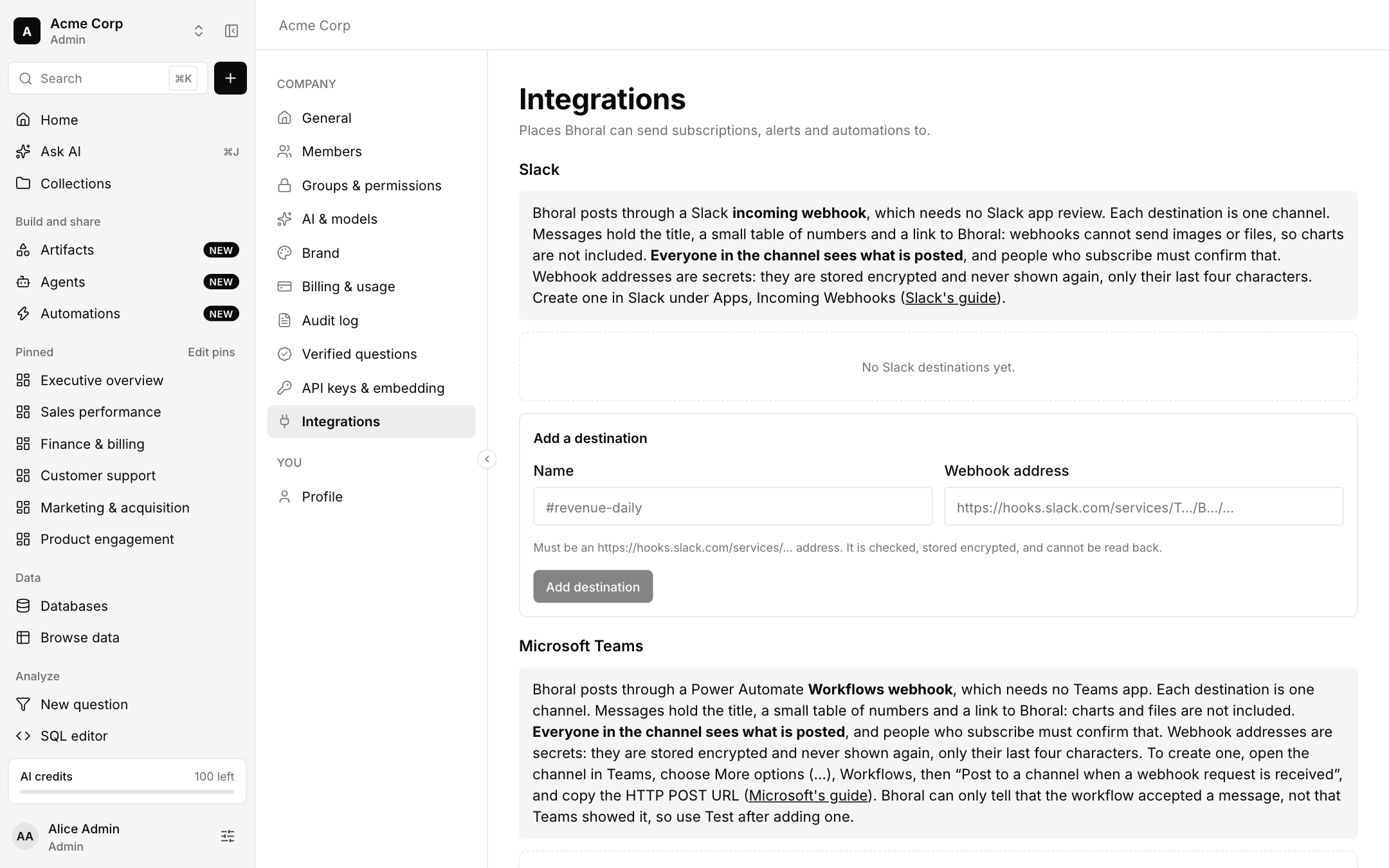
- Slack uses an incoming webhook, which needs no Slack app review.
- Teams uses a Power Automate Workflows webhook, which needs no Teams app.
- Messages hold the title, a small table of numbers and a link to Bhoral. Charts and files are not included, and everyone in the channel sees what is posted. People who subscribe must confirm.
- Bhoral can only tell that a Teams workflow accepted a message, so use Test after adding one.
Exports
Export a question or dashboard as Excel or PDF. Exports go through the same permission-checked path as the screen.