

Browse data
Preview tables, profile columns, see relationships and descriptions.
Browse data lets you look at what is inside a connection without writing SQL.
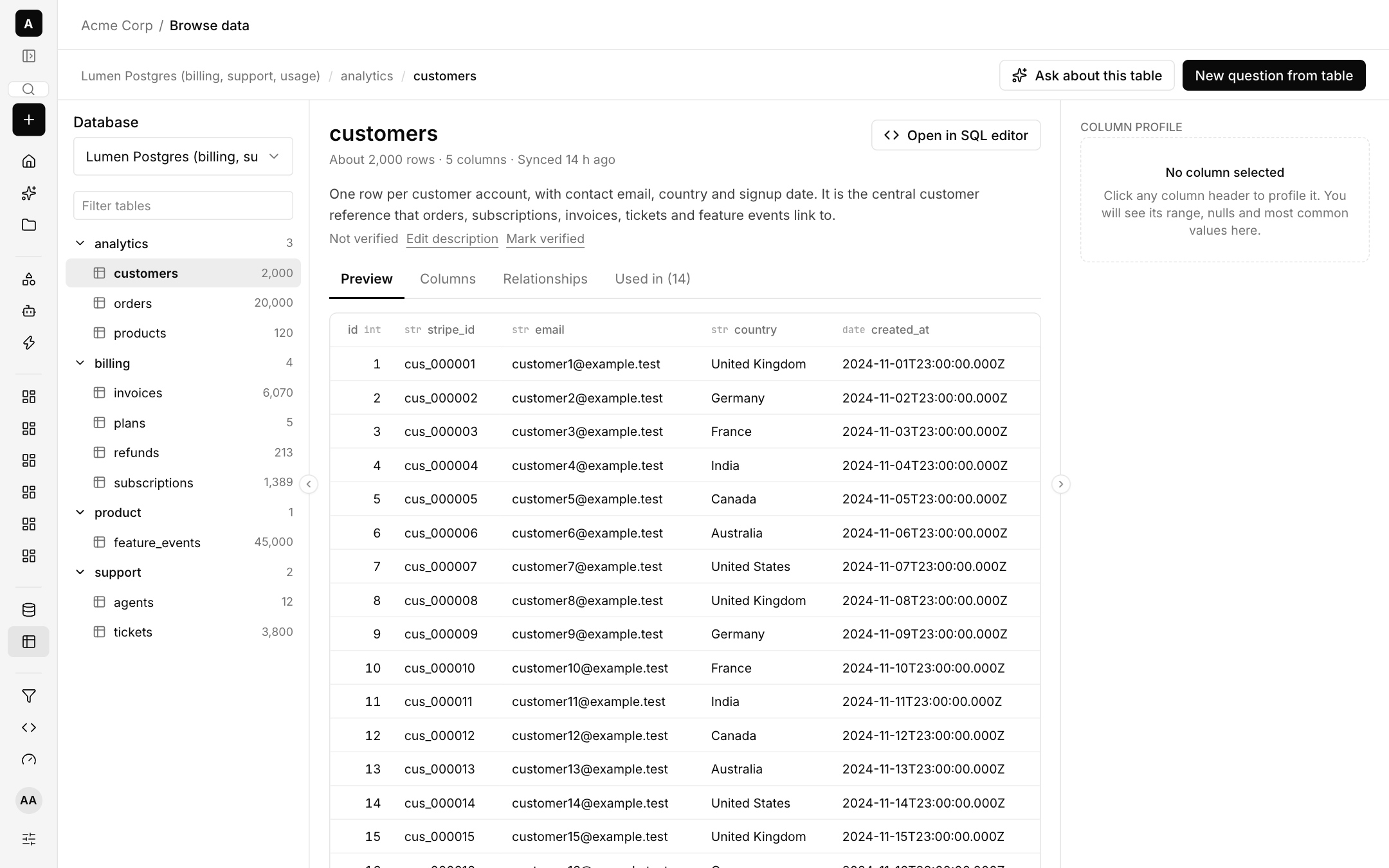
What you can do
- Pick a database and table from the left list, which shows row counts for each table.
- Read the description at the top of the table. An admin or analyst can Edit description and Mark verified so people know it has been checked.
- Preview the first rows. Previews are read-only and follow your access rules.
- Columns shows each column and its type. Relationships shows how the table connects to others. Used in lists the questions and metrics that read it.
- Column profile: click a column header to see its range, nulls and most common values.
- Start from a table with Ask about this table, New question from table, or Open in SQL editor.
Switch a column off for AI
In Browse data you can switch a column off for AI so it is kept out of what the model sees. Where your company allows sample values, up to 20 distinct values per column may be shared to help write accurate filters. See AI and models.