

Concepts
Companies, roles, groups and how the app is laid out.
Companies
A company is a workspace. Each company keeps its own databases, MCP servers, skills, dashboards and members, and you switch between companies from the sidebar. Plans and billing belong to the company, not to individual people, and there is no seat limit.
Roles
| Role | What it can do |
|---|---|
| Admin | Everything in the company, including settings, members, billing and access rules. Admins are never limited by row rules or masks. |
| Analyst | Builds questions, dashboards and metrics, and can use Native SQL where the company allows it. |
| Viewer | Opens what is shared with them. Viewers use curated data and stop at the Curated only level. |
Groups and access levels
Groups give sets of people access to specific databases, MCP servers and skills. A person takes the most permissive level of their groups, never above their role. See Access control.
The sidebar
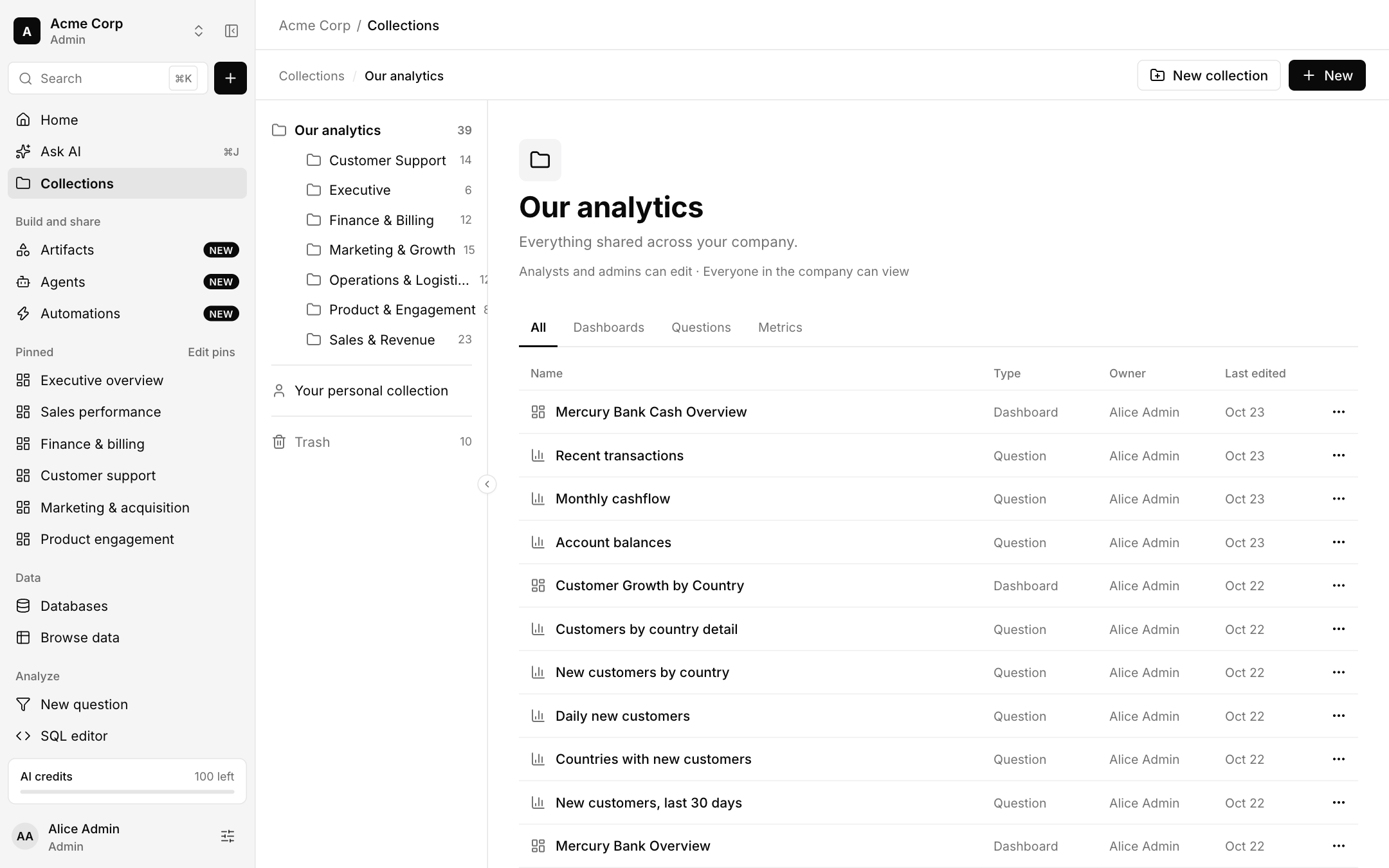
- Home, Ask AI, Collections stay at the top.
- Build and share: Artifacts, Agents and Automations.
- Pinned: your pinned dashboards, collections and questions.
- Data: Databases and Browse data.
- Analyze: New question, SQL editor, Metrics, Model and Lineage.
- Extend: MCP servers, Skills and Visualizations.
Wide pages start with the sidebar collapsed to a rail that opens on hover or focus.