

Automations
One trigger, an agent that follows your instructions, and delivery.
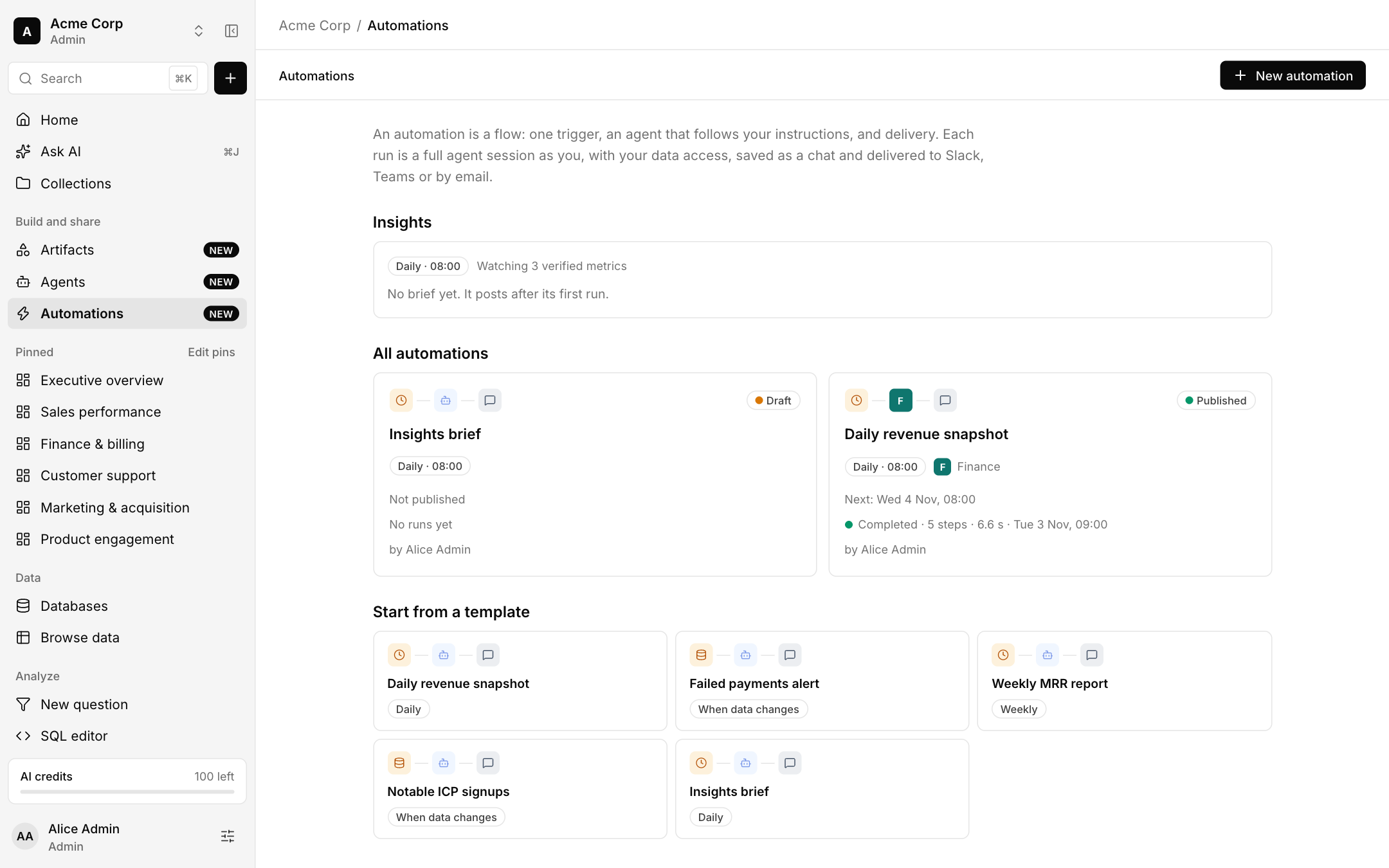
An automation is a flow: one trigger, an agent that follows your instructions, and delivery. Each run is a full agent session as you, with your data access, saved as a chat and delivered to Slack, Teams or by email.
Create one
Choose New automation, or start from a template such as Daily revenue snapshot, Failed payments alert, Weekly MRR report, Notable ICP signups or Insights brief.
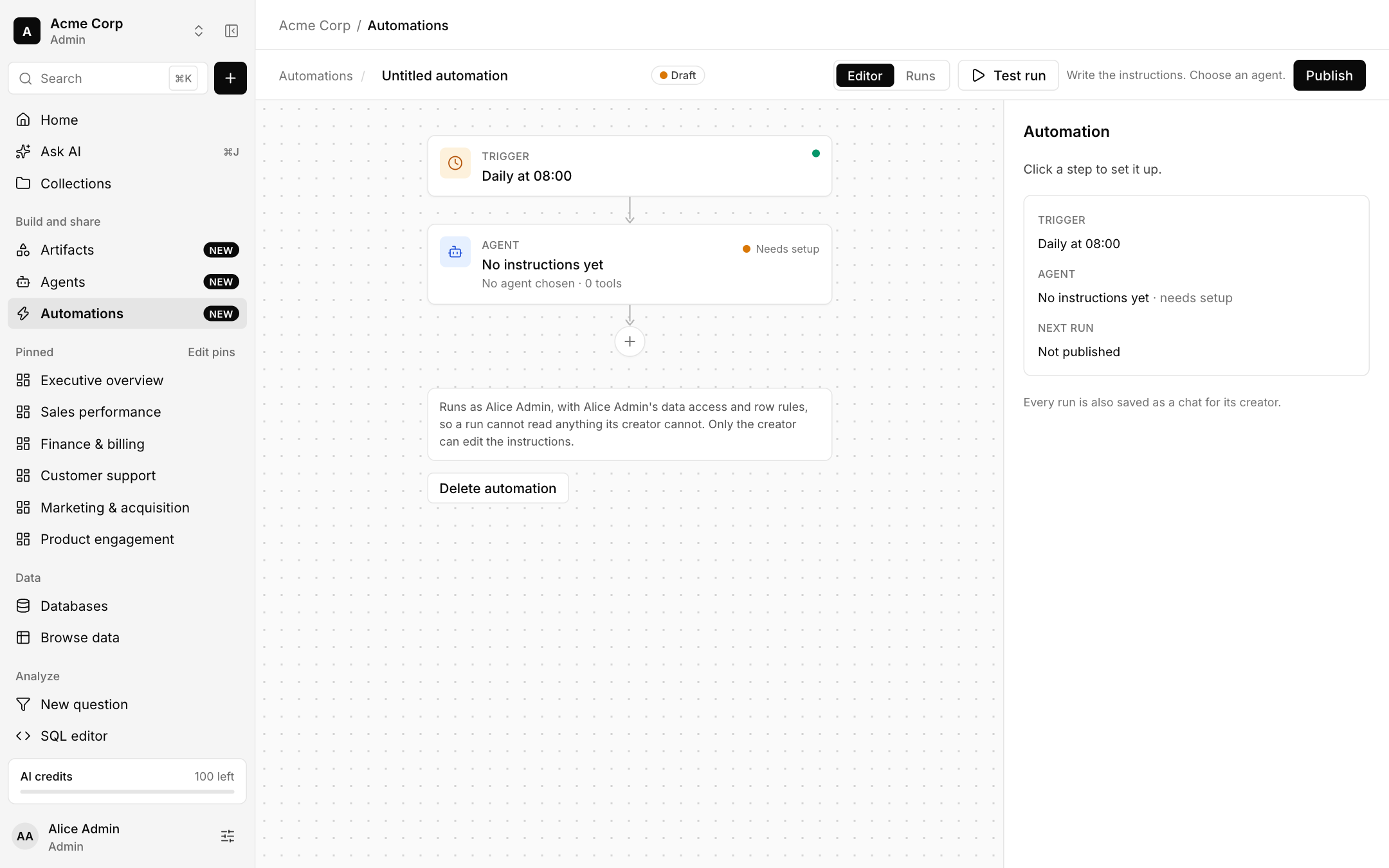
Set the trigger: a schedule such as daily at 08:00, or when data changes.
Choose an agent and write the instructions. Use Test run to try it.
Choose where to deliver and Publish. A draft is never run.
Good to know
- A run uses its creator's data access and row rules, so it cannot read anything its creator cannot. Only the creator can edit the instructions.
- Every run is also saved as a chat for its creator, and each run shows its steps, duration and result.
- Insights is a daily brief over your verified metrics, posted after its first run.